I have been loving my Food On The Table meal planning system lately, especially the iPhone app! So far out of 5 recipes, only one wasn't fabulous and that was my fault because I messed it up (doh). 2 of the 5 even had my husband saying I should make them again sometime - very rare!
I have great news for those of you who have not signed up yet - during the month of February you can get the unlimited recipes plan FREE for LIFE! As in, you get the Premium Plan with unlimited recipes and you don't have to pay, ever!
Here's how: you have to use this link to sign up and use the code "FEBFREE" when prompted.
A note from Food On The Table: Since it's a promo code, you may still get encouraged to upgrade, but you don't have to because you used the promo code.
So, just be aware of that.
I am so jealous of all of you who are signing up for the first time! Since this offer is only available to NEW users, I actually can't use it myself. Bummer.
Don't forget to pass this on to your friends!
Showing posts with label technology. Show all posts
Sunday, February 12, 2012
Tuesday, January 24, 2012
Review of Food On The Table
I'll be writing more later this week about my transition from Work-At-Home-Mom to Stay-At-Home-Mom after losing my part-time job, but suffice it to say that for some reason this change has thrown me off a bit. You'd think that having more time when the kids are napping or playing would mean that I get more blogging done, but the reverse has been true!
I feel like I'm really not organized when it comes to planning the household chores. OK, I don't plan at all, really. One thing I've been the most terrible at since having my second child (uh, 11 months ago) is meal planning. I did a post on how I've done my meal planning in the past. You might have noticed it was fairly labor-intensive. I have enjoyed E-Mealz in many ways and I've got some really good recipes from that site. However, they seem to focus mainly on Mexican food, salads, and white sauces for vegetarians. I like Mexican food as much as the next person, but vegetarians DO eat things other than Mexican, E-Mealz! And no one in my house will eat white sauce or salad of any kind except me. It also seemed that most of their recipes were actually meat recipes with fake-meat substitutes thrown in. Have you ever tasted fake meat products? They are disgusting. So we had to avoid most of those recipes too. Ultimately, I could only use about 1-2 recipes from each 5-day meal plan.
Through the new ad network I've signed up with, I have just learned about Food on the Table, another meal-planning program that also has a corresponding iPhone app. I think this might be what I am missing! Having a dedicated app saves me several steps in my previous process in migrating the meal plan to my iPhone so I can take the shopping list to the store.


I tried Food on the Table this week and here are the pros and cons:
Pros:
NOTE: As an ad network affiliate, I get something like $1 if you actually buy the Premium version by clicking one of my links.
I feel like I'm really not organized when it comes to planning the household chores. OK, I don't plan at all, really. One thing I've been the most terrible at since having my second child (uh, 11 months ago) is meal planning. I did a post on how I've done my meal planning in the past. You might have noticed it was fairly labor-intensive. I have enjoyed E-Mealz in many ways and I've got some really good recipes from that site. However, they seem to focus mainly on Mexican food, salads, and white sauces for vegetarians. I like Mexican food as much as the next person, but vegetarians DO eat things other than Mexican, E-Mealz! And no one in my house will eat white sauce or salad of any kind except me. It also seemed that most of their recipes were actually meat recipes with fake-meat substitutes thrown in. Have you ever tasted fake meat products? They are disgusting. So we had to avoid most of those recipes too. Ultimately, I could only use about 1-2 recipes from each 5-day meal plan.
Through the new ad network I've signed up with, I have just learned about Food on the Table, another meal-planning program that also has a corresponding iPhone app. I think this might be what I am missing! Having a dedicated app saves me several steps in my previous process in migrating the meal plan to my iPhone so I can take the shopping list to the store.

I tried Food on the Table this week and here are the pros and cons:
Pros:
- When they say it's a 60-second signup, they're not kidding!
- The limited version of the service is free (I was paying $5/month for E-Mealz). To get access to more recipes, you can pay to upgrade to Premium which is $5/month for the first 3 months and $9.95/month for the future. Less if you pay quarterly or for a whole year.
- Online or iPhone app interface is convenient
- When you select the stores you shop at, it automatically finds the sales and you can pick recipes based on the items on sale at the store you are going to!
- You can restrict recipes by prep time, by what kind of meat or Meatless
- You can add additional non-menu items to the grocery list in the iPhone app. It even has a voice recognition option so you can add items without typing. When I spoke "organic milk" it not only added it correctly, and in the correct category on the list, but also suggested the item was on sale at the Tom Thumb I selected as my favorite store. OMG LOVE!!
- Side items are chosen separately from the main dish so it's up to you to figure out how to pair things. This is actually just fine with me, because I rarely used the side item recommendations with E-Mealz. (side note: vegetarians don't eat coleslaw for side-dishes at every meal, E-Mealz)
NOTE: As an ad network affiliate, I get something like $1 if you actually buy the Premium version by clicking one of my links.
Labels:
family,
food,
health,
kids,
mom stuff,
product review,
sponsors,
technology
Tuesday, January 17, 2012
Barnes & Noble: I'm sorry your Nook sucks, I still love you!
Lately I've found myself at Barnes &' Noble a lot. For one thing, it's the closest, least crowded place with fast, free Wifi near my house. Plus, they don't seem to mind if I bring my own coffee into their store. I've found myself there on most of my Mother's Day Out days when I need to do some focused writing.
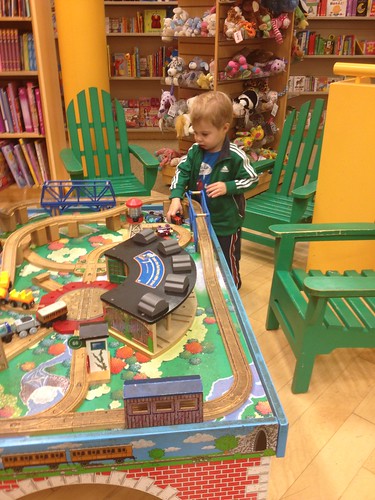
They also have a great kids' area. Yesterday when I forgot it was a state holiday, we couldn't go to the library so we headed to Barnes &' Noble where Little Sir played with their Thomas the Tank Engine train table for at least 20 minutes straight (which is a record for him).
This past weekend, Christian and I were blessed with an overnight date night getaway by my parents, who came into town to stay with the kids. After we had an early sushi dinner, we found ourselves at Barnes &' Noble looking at books and reading things to each other. We used to love to do this while we were dating.
While we were there, I got to try out several of the demo Nook reader options. I have a Kindle and Christian has an iPad, so I guess I expected the Nooks to work similarly. At least, that's what I thought I'd heard.
Boy, was I disappointed! From what I could gather without the help of anyone at the store (the first time there was no one around and the second time there was an employee there who made it clear that she had no idea how these things worked, and couldn't actually make a sale either, even though another customer was trying to buy one. I guess that employee was just required to stand beside the Nooks?), there appear to be three levels of Nook: the SimpleTouch, the Color, and the Tablet. I could not tell the difference between the Color and the Tablet by playing with them. Apparently the difference is the memory and the additional capabilities of the Tablet.
The touchscreen response of the Nook Color and Tablet both seemed seriously under par in comparison to iPad and iPhones. Half the time, no matter how hard you tapped on something, the screen didn't respond or it responded by overcompensating. Christian and I both tested this poor response on multiple demos by attempting to play the Ms PacMan game that came on the machine. It was literally impossible to play the game with such a poor touch response.
In all 3 of the models, the usability of the menu navigation was terrible. At least with the SimpleTouch, the navigation was a lot like the Kindle so I was able to figure out how to least read a book. But with the Color and the Tablet, I never could figure out how to close an app that I was using. There was no "X" inside the app and the "home" button only took you to different parts of the app itself, never to the home screen or a menu.
I would like to give you a more in-depth analysis of the Nook models but honestly, I gave up after about 10 minutes. If I have to spend more than 10 minutes figuring out how something works, or if it requires me to take a class or read a manual, that is not a well designed device. I'm afraid that owning Apple products has spoiled me in that regard. I know that easy-to-use, flexible products are possible so I am not willing to waste my time learning more confusing products.
If you have a Nook, feel free to defend it but for me, I'm happy with my Kindle, even if it is a 1st generation model.
And Barnes &' Noble: I still love you, despite your inability to create a good e-reader. I will see you again on Thursday!
They also have a great kids' area. Yesterday when I forgot it was a state holiday, we couldn't go to the library so we headed to Barnes &' Noble where Little Sir played with their Thomas the Tank Engine train table for at least 20 minutes straight (which is a record for him).
This past weekend, Christian and I were blessed with an overnight date night getaway by my parents, who came into town to stay with the kids. After we had an early sushi dinner, we found ourselves at Barnes &' Noble looking at books and reading things to each other. We used to love to do this while we were dating.
While we were there, I got to try out several of the demo Nook reader options. I have a Kindle and Christian has an iPad, so I guess I expected the Nooks to work similarly. At least, that's what I thought I'd heard.
Boy, was I disappointed! From what I could gather without the help of anyone at the store (the first time there was no one around and the second time there was an employee there who made it clear that she had no idea how these things worked, and couldn't actually make a sale either, even though another customer was trying to buy one. I guess that employee was just required to stand beside the Nooks?), there appear to be three levels of Nook: the SimpleTouch, the Color, and the Tablet. I could not tell the difference between the Color and the Tablet by playing with them. Apparently the difference is the memory and the additional capabilities of the Tablet.
The touchscreen response of the Nook Color and Tablet both seemed seriously under par in comparison to iPad and iPhones. Half the time, no matter how hard you tapped on something, the screen didn't respond or it responded by overcompensating. Christian and I both tested this poor response on multiple demos by attempting to play the Ms PacMan game that came on the machine. It was literally impossible to play the game with such a poor touch response.
In all 3 of the models, the usability of the menu navigation was terrible. At least with the SimpleTouch, the navigation was a lot like the Kindle so I was able to figure out how to least read a book. But with the Color and the Tablet, I never could figure out how to close an app that I was using. There was no "X" inside the app and the "home" button only took you to different parts of the app itself, never to the home screen or a menu.
I would like to give you a more in-depth analysis of the Nook models but honestly, I gave up after about 10 minutes. If I have to spend more than 10 minutes figuring out how something works, or if it requires me to take a class or read a manual, that is not a well designed device. I'm afraid that owning Apple products has spoiled me in that regard. I know that easy-to-use, flexible products are possible so I am not willing to waste my time learning more confusing products.
If you have a Nook, feel free to defend it but for me, I'm happy with my Kindle, even if it is a 1st generation model.
And Barnes &' Noble: I still love you, despite your inability to create a good e-reader. I will see you again on Thursday!
Sunday, December 11, 2011
How to subscribe to my blog!
I've had a few friends tell me that since Google Buzz has gone away, they don't get my blog posts in their email anymore. This is true, so I thought I'd give you a few other ways to get the blog without leaving your Google email/Gmail. I am going to list them for you based on how you use the internet.
If you really only read this blog.
Aw, ya'll are sweet! Really, though, this mainly applies to my family. If you liked getting the blog posts in Google Buzz so you can keep up with me, all you have to do now to keep getting only this blog in your email is subscribe to my email feed. Here's a special box:
Every time I publish a blog post, it will be emailed to you. Almost exactly the same as Google Buzz except without the "Comment" feature right at the bottom.
If you are keeping up with several blogs and no longer have time to visit every one individually.
I'll tell you my secret: Google Reader. It's an RSS reader, but don't let that terminology worry you. All you have to do is go to reader.google.com when you are already logged in to your Gmail. It is part of your existing Google account, so you won't have to register - you just tell it what blogs you want to follow by using this button:
Just type http://www.conscientiousconfusion.com into that box and you've got my blog!
You can even copy-and-paste that bold text above if you are having trouble spelling "conscientious"!
I hope that Google Reader helps you discover and follow lots of new bloggers - I know it's been a lifesaver for me as I've discovered more blogs that I love over the years. I also love that it works great on the iPhone or other smartphones - you can access reader.google.com from your phone and have the exact same interface that you have on the computer.
Enjoy, and let me know what you think!
If you really only read this blog.
Aw, ya'll are sweet! Really, though, this mainly applies to my family. If you liked getting the blog posts in Google Buzz so you can keep up with me, all you have to do now to keep getting only this blog in your email is subscribe to my email feed. Here's a special box:
Every time I publish a blog post, it will be emailed to you. Almost exactly the same as Google Buzz except without the "Comment" feature right at the bottom.
If you are keeping up with several blogs and no longer have time to visit every one individually.
I'll tell you my secret: Google Reader. It's an RSS reader, but don't let that terminology worry you. All you have to do is go to reader.google.com when you are already logged in to your Gmail. It is part of your existing Google account, so you won't have to register - you just tell it what blogs you want to follow by using this button:
Just type http://www.conscientiousconfusion.com into that box and you've got my blog!
You can even copy-and-paste that bold text above if you are having trouble spelling "conscientious"!
I hope that Google Reader helps you discover and follow lots of new bloggers - I know it's been a lifesaver for me as I've discovered more blogs that I love over the years. I also love that it works great on the iPhone or other smartphones - you can access reader.google.com from your phone and have the exact same interface that you have on the computer.
Enjoy, and let me know what you think!
Tuesday, November 29, 2011
Blogging from my iPhone
…sucks! I can't wait to get out internet back, hopefully tomorrow! So far, my iPhone has survived it's bath, although the music no longer plays. It's a good thing it did survive because the wait for a 4G is apparently still around 2 weeks, even though there are something like 4 Apple stores within 15 miles of my house. I've also tried Radio Shacks, AT&T stores, and Best Buy. Hasn't this phone been on the market for around 3 months?! Why the shortage, Apple?!
Monday, November 28, 2011
I dropped my iPhone in the bathtub
...again. You might remember that I did this once before. Only that time the toilet. So I guess this is better except that we don't have internet here at the new place until Wednesday so I've been blogging and doing my parttime work from my iPhone. And there are 2 days of NaBloPoMo left! Holy crap!!
Monday, April 25, 2011
iPhone in the toilet
In a mad rush out the door for a 24-hour trip to East Texas for Easter, the inevitable finally happened: I dropped my iPhone in the (fortunately empty) toilet.
I knew this was bound to happen one day since I keep it in my back pocket all day. I was just hoping it would happen nearer to the time I am eligible for an upgrade to the iPhone 4.
It can't have been in the water more than a few seconds. As soon as I saw it falling I was already reaching in after it. Would I have been so quick if the bowl hadn't been empty? Fortunately, we will never know.
Regardless of the mere nanoseconds it was immersed, as soon as I pulled it out, I watched its glowing face slowly fade into nothingness. It was like watching a pet die.
The good thing about the iPhone is that all the important stuff is transferred to the computer every time it is synced. Also, most of my to-do lists and email and other vital data are located online "in the cloud" so they're not actually on my phone either.
What was missing was my connectivity to the world. And by that I mean, mostly, Twitter and Facebook. But also texting. I thought I might die but it turns out that it was not very bad!
In case this happens to anyone else, do this: put your iPhone into a bag of rice.
I had seen one of my Twitter friends did this when her iPhone fell in the water and it worked for her. So on our way out the door, I grabbed a half-bag of rice and threw the phone into it.
After a two hour drive I checked the phone and the screen was very, very lightly appearing but the screen did not respond to touch.
After leaving the phone in the bag of rice overnight, the phone turned out and responded to touch but the "Power" button appeared to think it was always being smashed.
After another day in the rice, I am excited to say that the phone turns on, responds to touch, and works normally with the exception of the "power" button. The "power" button does not work at all. Also, the screen looks like it has spots on it which are apparently permanent.
Still, I think I can make it with this phone until August when we can buy a new phone.
Tell your friends: bag of rice!
I knew this was bound to happen one day since I keep it in my back pocket all day. I was just hoping it would happen nearer to the time I am eligible for an upgrade to the iPhone 4.
It can't have been in the water more than a few seconds. As soon as I saw it falling I was already reaching in after it. Would I have been so quick if the bowl hadn't been empty? Fortunately, we will never know.
Regardless of the mere nanoseconds it was immersed, as soon as I pulled it out, I watched its glowing face slowly fade into nothingness. It was like watching a pet die.
The good thing about the iPhone is that all the important stuff is transferred to the computer every time it is synced. Also, most of my to-do lists and email and other vital data are located online "in the cloud" so they're not actually on my phone either.
What was missing was my connectivity to the world. And by that I mean, mostly, Twitter and Facebook. But also texting. I thought I might die but it turns out that it was not very bad!
In case this happens to anyone else, do this: put your iPhone into a bag of rice.
I had seen one of my Twitter friends did this when her iPhone fell in the water and it worked for her. So on our way out the door, I grabbed a half-bag of rice and threw the phone into it.
After a two hour drive I checked the phone and the screen was very, very lightly appearing but the screen did not respond to touch.
After leaving the phone in the bag of rice overnight, the phone turned out and responded to touch but the "Power" button appeared to think it was always being smashed.
After another day in the rice, I am excited to say that the phone turns on, responds to touch, and works normally with the exception of the "power" button. The "power" button does not work at all. Also, the screen looks like it has spots on it which are apparently permanent.
Still, I think I can make it with this phone until August when we can buy a new phone.
Tell your friends: bag of rice!
Thursday, January 20, 2011
IntenseDebate and CommentLuv issues in Internet Explorer 8
I wanted to do a quick technical post for anyone else who might have had the commenting issues I've recently had. I really love the way the CommentLuv plugin works on WordPress blogs, but for a number of reasons I'm not yet ready to move to WordPress. I was excited to find out that signing up for a service called IntenseDebate would "supposedly" allow me to use the CommentLuv plugin on a Blogger blog.
Unfortunately, I use the Firefox browser almost exclusively. Both on a Mac (at home) and a PC (at work). The fact that IntenseDebate and CommentLuv worked just great in Firefox tricked me into thinking that it was working fine everywhere.
In fact, it turns out that comments were not working at all in most Internet Explorer browsers. A big THANK YOU to my readers who emailed me to let me know! The biggest problem is that IntenseDebate does not work in IE8. Since CommentLuv needs IntenseDebate to function on the Blogger platform, I don't know if it is truly IntenseDebate or CommentLuv which does not work in IE8 on Blogger.
For the past 4 weeks, apparently the 30% of my audience who uses Internet Explorer has not been able to comment or see other people's comments!!
That's a big deal for someone (me!) who is attempting to really build blog traffic lately.
I contacted IntenseDebate to inquire about the issues with IE, and their response was disappointingly slow and unhelpful. Although they do have Twitter account, they did not respond to any @'s I sent to them in that manner (and still have not). I had to use their online Contact Us form. Ugh! who is still using those?? They are terrible! Hello, 1999, anyone? They also had a blog, but it hasn't been updated in more than a month and never addressed issues with IE. On some tech forums, I found people who were discussing their product, but if the company participated at all, it was to point people back to their outdated "Contact Us" form!
It took someone from IntenseDebate more than 24 hours to contact me back, and when they did, they blamed it on me not having Javascript enabled in IE. In a Web 2.0 environment, who would have Javascript TURNED OFF? Especially when I was attempting to install and use a Javascript widget. At this point I had tested Internet Explorer from 3 separate machines, as well as having 2 people from other states test in Internet Explorer, and no one could see comments in IE. And yes, everyone has Javascript turned on. Obviously, an issue with IntenseDebate. Ultimately, IntenseDebate claimed they "couldn't reproduce the problem" and that means there IS no problem. Nice.
The main problem with uninstalling IntenseDebate was that the Comment Export feature does not work with Blogger, so as soon as I uninstalled IntenseDebate, I would lose the last 4 weeks of comments from people who weren't using IE.
The solution I came up with to uninstalling IntenseDebate from Blogger and still keep my comment history was to install Disqus instead. Disqus accepts imports of comments from both IntenseDebate AND Blogger, so now all my comments are in one central place.
I have actually never been a fan of Disqus because it loads extremely slowly at lower bandwidths. However, when I twittered that my solution to the issue was to install Disqus even though I am not a fan of Disqus, @Disqus was kind enough to reply back to me immediately! Here's the convo:
So, for now I think the problem is solved. I am feeling much better about Disqus since I disabled some of the more complex features. I am also encouraged that they are so responsive on Twitter.
What do you think? How is the load time for comments on your end?
Unfortunately, I use the Firefox browser almost exclusively. Both on a Mac (at home) and a PC (at work). The fact that IntenseDebate and CommentLuv worked just great in Firefox tricked me into thinking that it was working fine everywhere.
In fact, it turns out that comments were not working at all in most Internet Explorer browsers. A big THANK YOU to my readers who emailed me to let me know! The biggest problem is that IntenseDebate does not work in IE8. Since CommentLuv needs IntenseDebate to function on the Blogger platform, I don't know if it is truly IntenseDebate or CommentLuv which does not work in IE8 on Blogger.
For the past 4 weeks, apparently the 30% of my audience who uses Internet Explorer has not been able to comment or see other people's comments!!
That's a big deal for someone (me!) who is attempting to really build blog traffic lately.
I contacted IntenseDebate to inquire about the issues with IE, and their response was disappointingly slow and unhelpful. Although they do have Twitter account, they did not respond to any @'s I sent to them in that manner (and still have not). I had to use their online Contact Us form. Ugh! who is still using those?? They are terrible! Hello, 1999, anyone? They also had a blog, but it hasn't been updated in more than a month and never addressed issues with IE. On some tech forums, I found people who were discussing their product, but if the company participated at all, it was to point people back to their outdated "Contact Us" form!
It took someone from IntenseDebate more than 24 hours to contact me back, and when they did, they blamed it on me not having Javascript enabled in IE. In a Web 2.0 environment, who would have Javascript TURNED OFF? Especially when I was attempting to install and use a Javascript widget. At this point I had tested Internet Explorer from 3 separate machines, as well as having 2 people from other states test in Internet Explorer, and no one could see comments in IE. And yes, everyone has Javascript turned on. Obviously, an issue with IntenseDebate. Ultimately, IntenseDebate claimed they "couldn't reproduce the problem" and that means there IS no problem. Nice.
The main problem with uninstalling IntenseDebate was that the Comment Export feature does not work with Blogger, so as soon as I uninstalled IntenseDebate, I would lose the last 4 weeks of comments from people who weren't using IE.
The solution I came up with to uninstalling IntenseDebate from Blogger and still keep my comment history was to install Disqus instead. Disqus accepts imports of comments from both IntenseDebate AND Blogger, so now all my comments are in one central place.
I have actually never been a fan of Disqus because it loads extremely slowly at lower bandwidths. However, when I twittered that my solution to the issue was to install Disqus even though I am not a fan of Disqus, @Disqus was kind enough to reply back to me immediately! Here's the convo:
So, for now I think the problem is solved. I am feeling much better about Disqus since I disabled some of the more complex features. I am also encouraged that they are so responsive on Twitter.
What do you think? How is the load time for comments on your end?
Monday, January 17, 2011
My favorite iPhone apps
I've been in love with my iPhone since I first got one a few years back. It's true that I don't have a iPhone 4, just a 3GS, and I have dropped it a few times. It has a lovely crack that is starting to spread. But as soon as I'm eligible for an upgrade, I'll get one. I love the apps!
I see people who have just gotten an iPhone asking about the best apps to download on Facebook all the time. So, I thought that I'd make a list of my favorite iPhone apps. I am finding new ones every day!
- Shazaam - you can hold your phone up whenever you hear music and it will tell you the song and artist, and you can buy it on iTunes
- Pandora - I've found lots of great new music using this app which builds radio stations based on your suggestions
- Grocery Gadget - probably my most-used paid app. It organizes your grocery items by category and allows you to build lists and different stores. The feature I loved most was that you can put it on more than one iPhone and the lists are automatically synced. This means that my husband can see the most recent needed items if he is at the store. The feature does, however, require the other person to UPDATE THEIR APP, which hasn't really happened for us...
- Flashlight - I have a free flashlight app that I use every morning when I get up to shower while everyone else is still in bed! It's just a plain white screen that doesn't shut off. Brilliant!
- Facebook, Words with Friends, HootSuite for Twitter - duh! I think everyone involved in social media probably has these...
- BlogPress - I recently bought this app which allows me to compose full blog posts on the iPhone, edit/revise existing posts, and even save drafts for posting later. It also links up to my Flickr stream so I can insert photos. So far I love it!
- Baby-related apps: Baby Brain, which tracks pee/poo, breast/bottle, and sleeping. We LOVED this app when Little Sir was an infant, and our nanny still uses it to send us a log of what he's been doing all day. Baby Time Contractions - an app that helps track contractions in labor process. We loved that it can send them in an email to our midwife, who can take a look at the spacing and severity. I can't find a link to it anymore, it's possible the developer isn't supporting it anymore.
Tuesday, November 02, 2010
Conscientious Confusion on Twitter: now with more focus!
I am excited to announce that Conscientious Confusion is finally officially back on Twitter!
I started a placeholder account (@sometimes_me) right before BlogHer 2010 so I could follow all you blog people and communicate with you at the conference even though we don't have each other's phone numbers. Since then, I didn't use the account for much except following other people, interacting with brands I love (@cottonbabies! @bumgenius!), and to know what is going on in the blogosphere.
After trying for months to come up with a good blog tie-in, I've finally found an available Twitter username that fits in with the blog name!
Now, follow @_conscientious on Twitter for:
Message me any time and I'll be happy to message you back! Are there topics you'd like to see addressed on this blog? Send me a tweet!
Can't wait to see you all on Twitter!
I started a placeholder account (@sometimes_me) right before BlogHer 2010 so I could follow all you blog people and communicate with you at the conference even though we don't have each other's phone numbers. Since then, I didn't use the account for much except following other people, interacting with brands I love (@cottonbabies! @bumgenius!), and to know what is going on in the blogosphere.
After trying for months to come up with a good blog tie-in, I've finally found an available Twitter username that fits in with the blog name!
Now, follow @_conscientious on Twitter for:
- links to news articles on green living, health and nutrition, cloth diapering, natural birth and parenting, and environmental issues
- links to upcoming Dallas-area green events and specials
- notifications on the latest Conscientious Confusion blog posts
- all the drama in the blogosphere...retweeted for you :-)
Message me any time and I'll be happy to message you back! Are there topics you'd like to see addressed on this blog? Send me a tweet!
Can't wait to see you all on Twitter!
Thursday, March 04, 2010
Here we go again
Well I figured that if it has been Twittered, then it is fair game to share: Christian is no longer employed.
Yes, we suspected it was coming. No, he does not have another job lined up yet.
And yes, he did have to give back his amazing almost-brand-new MacBook Pro
* sob *
That part has been a crushing blow because it was so awesome. Well, I say that, but I never actually touched it. It looked awesome, though.
We are super thankful that they gave him a severance-type package. We have a little less than 3 months to find other employment.
Since we both work in technology, this isn't the first time for either of us. This is the second time for him since we've been married.
I don't write about this for sympathy (although maybe for a little bit of publicity in spreading his resume!).
But I'm not going to lie to you, it's not the most fun. I know I'm not supposed to worry, God will provide for us. We have seen it happen before, not even 4 full years ago.
Despite what the feminist agenda might claim, I don't relish the position of being the only one working. I know we need to save money, and as the person who does the grocery shopping and the cooking, I should be the one to figure out how to do that. But it is very difficult for me to figure out how to do this while still working full time. I have been trying to get back to my pre-baby menu-planning and coupon-shopping ways and I've done pretty good so far, but we've still had to resort to buying food 2-3 times a week when I just run out of food and/or ideas. Obviously, this needs to stop. I'm thinking of making a list of easy meals and just keeping the ingredients in stock and rotating them. Maybe I'll make a list of them here on the blog.
I'm also on the lookout for more vegetarian crockpot recipes. So if you have any of those, pass them on!
Also, jobs. You know.
Yes, we suspected it was coming. No, he does not have another job lined up yet.
And yes, he did have to give back his amazing almost-brand-new MacBook Pro
* sob *
That part has been a crushing blow because it was so awesome. Well, I say that, but I never actually touched it. It looked awesome, though.
We are super thankful that they gave him a severance-type package. We have a little less than 3 months to find other employment.
Since we both work in technology, this isn't the first time for either of us. This is the second time for him since we've been married.
I don't write about this for sympathy (although maybe for a little bit of publicity in spreading his resume!).
But I'm not going to lie to you, it's not the most fun. I know I'm not supposed to worry, God will provide for us. We have seen it happen before, not even 4 full years ago.
Despite what the feminist agenda might claim, I don't relish the position of being the only one working. I know we need to save money, and as the person who does the grocery shopping and the cooking, I should be the one to figure out how to do that. But it is very difficult for me to figure out how to do this while still working full time. I have been trying to get back to my pre-baby menu-planning and coupon-shopping ways and I've done pretty good so far, but we've still had to resort to buying food 2-3 times a week when I just run out of food and/or ideas. Obviously, this needs to stop. I'm thinking of making a list of easy meals and just keeping the ingredients in stock and rotating them. Maybe I'll make a list of them here on the blog.
I'm also on the lookout for more vegetarian crockpot recipes. So if you have any of those, pass them on!
Also, jobs. You know.
Thursday, January 14, 2010
Recycling a large CRT TV in Texas/DFW
I had no idea how difficult it would be to recycle an old CRT TV larger than 32 inches!
It is not my TV, but a friend of mine's. She and I were searching together for somewhere she could send it for appropriate disposal.
You do know that putting an old TV out on the curb for the trashperson sends it to a landfill where it leaches dangerous chemicals into the ground, right? Hence the attempt to recycle the large TV - to send it to a company that will disassemble it appropriately and safely dispose of the dangerous waste.
Normally, I would recommend Best Buy's recycling program for TV recycling, but it appears that they do not recycle TV's larger than 32 inches.
Goodwill also has a recycling program for TV's they cannot resell, but they will not take sets that are not operational.
The next stop was the Texas Take Back web site, which is a site supposedly dedicated to helping consumers dispose of electronic waste properly in Texas. However, as you can see just by visiting the site, it is extremely difficult to assemble the information on televisions. If you know where you purchased the set and have a proof of purchase, you are in luck. But how many people have (or can locate!) receipts from a TV purchased 3 years, 5 years ago or more? The other option on this site is broken down by manufacturer. In case you have a TV to recycle and are as mind-boggled as I was by all the disparate information for the different brands (the links don't send you to the actual information in all cases, sometimes you have to locate the information on the manufacturer's sites), here is the breakdown:
LG/Goldstar/Zenith is done by HOBI International
Samsung has a map where you type in your zip code
Mitsubishi/Panasonic/Sharp/Toshiba/VIZIO are all here
Sony says they will recycle old Sony TV's, but they actually won't unless you buy a new Sony TV from one of their SonyStyle stores. I worked for Sony as a client in one of my previous jobs, and I can tell you that SonyStyle stores are way overpriced in my humble opinion. The Sony television we have, we bought at an electronics store for much cheaper than the same model would have cost at a SonyStyle store.
However, in this case the television was a Phillips - none of the brands listed!
Through TimeToRecycle.com, my friend eventually found Intechra, which accepts large televisions if you drive to their location at a loading dock in Carrollton between the hours of 6:00-11:00 and 12:00-2:00. The information actually appears to be gone from the TimeToRecycle site now, so it's a good thing we saved it, and part of the reason I am reprinting it here.
Not exactly the easiest thing in the world - no wonder so many people just put their old TV's out on the curb. And what about other areas of Texas? Not everyone can drive to Carrollton.
Public Research Works recently published a report entitled "Free e-recycling, but nobody knows. Even the information provided on this site and the resources listed could not have helped us. It's easy to recycle a computer, but not a television larger than 32 inches!
What gives, Texas?!
UPDATED: I have been told that now BestBuy will recycle TV's and most electronics for no fee. Unfortunately, I think there still might be a limit on what size TV they will accept.
It is not my TV, but a friend of mine's. She and I were searching together for somewhere she could send it for appropriate disposal.
You do know that putting an old TV out on the curb for the trashperson sends it to a landfill where it leaches dangerous chemicals into the ground, right? Hence the attempt to recycle the large TV - to send it to a company that will disassemble it appropriately and safely dispose of the dangerous waste.
Normally, I would recommend Best Buy's recycling program for TV recycling, but it appears that they do not recycle TV's larger than 32 inches.
Goodwill also has a recycling program for TV's they cannot resell, but they will not take sets that are not operational.
The next stop was the Texas Take Back web site, which is a site supposedly dedicated to helping consumers dispose of electronic waste properly in Texas. However, as you can see just by visiting the site, it is extremely difficult to assemble the information on televisions. If you know where you purchased the set and have a proof of purchase, you are in luck. But how many people have (or can locate!) receipts from a TV purchased 3 years, 5 years ago or more? The other option on this site is broken down by manufacturer. In case you have a TV to recycle and are as mind-boggled as I was by all the disparate information for the different brands (the links don't send you to the actual information in all cases, sometimes you have to locate the information on the manufacturer's sites), here is the breakdown:
LG/Goldstar/Zenith is done by HOBI International
Samsung has a map where you type in your zip code
Mitsubishi/Panasonic/Sharp/Toshiba/VIZIO are all here
Sony says they will recycle old Sony TV's, but they actually won't unless you buy a new Sony TV from one of their SonyStyle stores. I worked for Sony as a client in one of my previous jobs, and I can tell you that SonyStyle stores are way overpriced in my humble opinion. The Sony television we have, we bought at an electronics store for much cheaper than the same model would have cost at a SonyStyle store.
However, in this case the television was a Phillips - none of the brands listed!
Through TimeToRecycle.com, my friend eventually found Intechra, which accepts large televisions if you drive to their location at a loading dock in Carrollton between the hours of 6:00-11:00 and 12:00-2:00. The information actually appears to be gone from the TimeToRecycle site now, so it's a good thing we saved it, and part of the reason I am reprinting it here.
Not exactly the easiest thing in the world - no wonder so many people just put their old TV's out on the curb. And what about other areas of Texas? Not everyone can drive to Carrollton.
Public Research Works recently published a report entitled "Free e-recycling, but nobody knows. Even the information provided on this site and the resources listed could not have helped us. It's easy to recycle a computer, but not a television larger than 32 inches!
What gives, Texas?!
UPDATED: I have been told that now BestBuy will recycle TV's and most electronics for no fee. Unfortunately, I think there still might be a limit on what size TV they will accept.
Friday, January 08, 2010
Words with Friends: netiquette
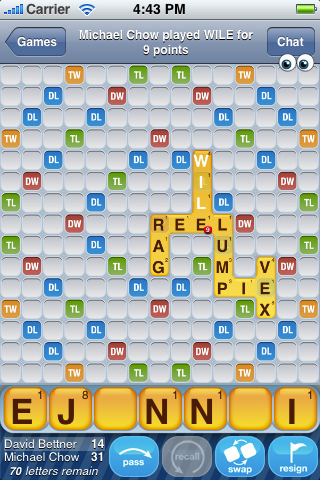
I have jumped on the time-wasting bandwagon that is Words With Friends. In case your life hasn't been slowly sucked away by this addictive iPhone app, I will explain what it is (also, because the Words With Friends web site is currently unavailable - what?).
It is just like Scrabble, only you can play multiple games with multiple people who are nowhere near you and you might not even know them. The screen is like a Scrabble board and you draw letters each time and spell words, getting points in Double and Triple Word squares and Double and Triple Letter squares - just like Scrabble. The cool thing is that once you play your turn, a notification is sent to the iPhone/iPod Touch of the other player saying you've played and they play their turn the next chance they get. Since I have an infant, I often go several hours between playing turns, which I hope is fine because the other person can't play their turn until you've played yours anyway.
I am currently playing 5 games, some with people I don't know too well IRL (in real life), but I enjoy playing the game even though I am not good at it at all, really.
Christian has the app too and, sadly, we have sat right next to each other on the couch playing Words With Friends with each other on our iPhones. Even though we own a Scrabble board.
But we do differ on one point. When I get weird letters like Q or V or Y, I start making up words and putting the letters in odd combinations until I find a word that the app says is actually a word. This is how I discovered the words "qua" and "xi". I have no idea what they mean, but they are words!
However, Christian says this is cheating. He says you need to know the words, and what they mean if you are going to play them. I say, this is how you learn new words! You just make them up until you find one! What do you think?
It is just like Scrabble, only you can play multiple games with multiple people who are nowhere near you and you might not even know them. The screen is like a Scrabble board and you draw letters each time and spell words, getting points in Double and Triple Word squares and Double and Triple Letter squares - just like Scrabble. The cool thing is that once you play your turn, a notification is sent to the iPhone/iPod Touch of the other player saying you've played and they play their turn the next chance they get. Since I have an infant, I often go several hours between playing turns, which I hope is fine because the other person can't play their turn until you've played yours anyway.
I am currently playing 5 games, some with people I don't know too well IRL (in real life), but I enjoy playing the game even though I am not good at it at all, really.
Christian has the app too and, sadly, we have sat right next to each other on the couch playing Words With Friends with each other on our iPhones. Even though we own a Scrabble board.
But we do differ on one point. When I get weird letters like Q or V or Y, I start making up words and putting the letters in odd combinations until I find a word that the app says is actually a word. This is how I discovered the words "qua" and "xi". I have no idea what they mean, but they are words!
However, Christian says this is cheating. He says you need to know the words, and what they mean if you are going to play them. I say, this is how you learn new words! You just make them up until you find one! What do you think?
Friday, October 09, 2009
YouData
I've been following A Frugal Friend on Twitter for a few weeks now and just learned from this fabulous site today about a program called YouData.
You sign up for this program and when you log in, you look briefly at a few ads and get paid something like 5 or 6 cents for each ad you look at. They are very small text ads, it doesn't take long at all. The cool thing is, if you log in to your YouData Account and tell them more about you (what kind of food & wine you like, what is your housing situation, what kind of hobbies you are interested in, etc.), they will deliver ads that are more specific to you. And throughout the whole process, you never have to give them your real name or your mailing address. That is the part I liked.
I found this really cool eBay store called A World Of Good, which offers handmade, fair trade, often organic and natural goods. Every one of their eBay participating sellers donates back to some kind of charitable or environmental organization. They have baby stuff and clothing and all kinds of things I was very interested in and plan to visit again and maybe purchase from them in the future.
I earned 83 cents from viewing ads like that on YouData today! That might not sound like a lot, but you can build up money over time in PayPal, and I even saw something about using the credits for iTunes. If I can figure out how to use them for iTunes, I'd only have to look at a few ads to get a free song! That could really help support my habit of buying pop songs that I don't really think are worth $1 or $1.99 sometimes.
Anyway, if you are interested, they also have a referral program so that I'll earn $1 for every person who signs up, so sign up here!
Reminder: don't forget my product review policy. I found out about this site/program myself and I'm passing it on to any of my readers who might be interested because I think it's cool. No one has paid me to endorse this service in any way. Unless, of course, you sign up and I get $1 for each referral. But honestly, I was more interested in helping you guys earn cash for free iTunes songs :-)
You sign up for this program and when you log in, you look briefly at a few ads and get paid something like 5 or 6 cents for each ad you look at. They are very small text ads, it doesn't take long at all. The cool thing is, if you log in to your YouData Account and tell them more about you (what kind of food & wine you like, what is your housing situation, what kind of hobbies you are interested in, etc.), they will deliver ads that are more specific to you. And throughout the whole process, you never have to give them your real name or your mailing address. That is the part I liked.
I found this really cool eBay store called A World Of Good, which offers handmade, fair trade, often organic and natural goods. Every one of their eBay participating sellers donates back to some kind of charitable or environmental organization. They have baby stuff and clothing and all kinds of things I was very interested in and plan to visit again and maybe purchase from them in the future.I earned 83 cents from viewing ads like that on YouData today! That might not sound like a lot, but you can build up money over time in PayPal, and I even saw something about using the credits for iTunes. If I can figure out how to use them for iTunes, I'd only have to look at a few ads to get a free song! That could really help support my habit of buying pop songs that I don't really think are worth $1 or $1.99 sometimes.
Anyway, if you are interested, they also have a referral program so that I'll earn $1 for every person who signs up, so sign up here!
Reminder: don't forget my product review policy. I found out about this site/program myself and I'm passing it on to any of my readers who might be interested because I think it's cool. No one has paid me to endorse this service in any way. Unless, of course, you sign up and I get $1 for each referral. But honestly, I was more interested in helping you guys earn cash for free iTunes songs :-)
Wednesday, August 26, 2009
Follow the baby on Twitter
I know some of you who read this blog don't read the family blog, and that's fine. If you care, though, I wanted to give you the heads-up, though - we've started a Twitter account for updates regarding the baby. We'll be using this during labor to keep anyone posted on the progression. Before we go into labor we probably won't use it too much.Here it is: follow afamilyisus on Twitter!
Make sure you follow early because this is a protected account, we have to approve you to receive updates. If you wait until we go into labor, we might not have access to a computer to approve you at that time.
Don't forget, you can always sign up to get text messages whenever we update!
Wednesday, July 22, 2009
Blogging with integrity
NOTE: This post has been updated as of 3/10/2010, please read here.
Thanks to Elaine of The Miss Elaine-ous Life for directing me to the Blog with Integrity site via her Twitter, where I immediately signed the pledge.
There has been some discussion on BlogHer and in the blogsphere about the integrity we have as bloggers when reviewing products, doing marketing, and accepting gifts which we would later review or recommend. Prompting as much as a suggested PR Blackout in August.
First of all, I want to be clear to all 15 of my regular readers - I am too small to receive any marketing or PR offers. Like you didn't know that already. But obviously, even with my recent efforts to get to know my fellow bloggers, and how much I do enjoy that, and how much I wish I was going to the BlogHer 2009 conference, I'm such a small fish in a big pond that I don't have marketers or sponsors contacting me to review stuff, or paying for anything.
There are 2 times I have received something for free and mentioned it on this blog:
As you can see, a PR Blackout is not a problem for me - now or hopefully ever. I will gladly participate, because I am already participating! If I do get big enough to receive freebies, I will disclose where I got the freebie and I will be honest in my opinion. If you have a blog, I do encourage you to take the pledge to Blog With Integrity!
Thanks to Elaine of The Miss Elaine-ous Life for directing me to the Blog with Integrity site via her Twitter, where I immediately signed the pledge.There has been some discussion on BlogHer and in the blogsphere about the integrity we have as bloggers when reviewing products, doing marketing, and accepting gifts which we would later review or recommend. Prompting as much as a suggested PR Blackout in August.
First of all, I want to be clear to all 15 of my regular readers - I am too small to receive any marketing or PR offers. Like you didn't know that already. But obviously, even with my recent efforts to get to know my fellow bloggers, and how much I do enjoy that, and how much I wish I was going to the BlogHer 2009 conference, I'm such a small fish in a big pond that I don't have marketers or sponsors contacting me to review stuff, or paying for anything.
There are 2 times I have received something for free and mentioned it on this blog:
- After giving the Recycline Preserve razors a bad review, Recycline contacted me to try a more recent product of theirs so that they could redeem themselves. The new blades were indeed better than the ones I tried, and I blogged about that.
- I won a contest on another blog where I received free Reebok EasyTone sneakers. I do love these sneakers. They even sent them to me in green! However, I won these in a contest fair-and-square, I was not sent the product for free so that I would review them. i blogged about winning because I was so excited, I needed shoes at the time, and I never win anything!
As you can see, a PR Blackout is not a problem for me - now or hopefully ever. I will gladly participate, because I am already participating! If I do get big enough to receive freebies, I will disclose where I got the freebie and I will be honest in my opinion. If you have a blog, I do encourage you to take the pledge to Blog With Integrity!
Tuesday, June 30, 2009
Update on URL redirect issues
I hope I didn't lose anyone in the transition to the new URL... we bought the A Family Is Us URL from Network Solutions and it worked great, but we bought Conscientious Confusion from my husband's web hosting company. There seem to be issues with his hosting company and redirecting to Blogger, while also preserving my custom posting addresses (which seem to be where I get a lot of my traffic).For several days, if you tried to reach the blog via anything but directly typing the URL, it went into a permanent loop. I think this might also have affected my publication to feed burners/RSS readers. When I tried to fix that, the actual URL itself stopped working...thanks, Liz, for letting me know! I saw my traffic go down to, uh, ZERO, for about 4 days.
If you happen to get Conscientious Confusion posts via a feed burner or RSS feed, can you let me know if 1) you are still getting the posts (like this one), and 2) if you can click to the blog from your feed, or do you get an error?
The moral of this story might be, Network Solutions is worth the extra $10-$20! Seems like the $10 URL is exactly what you pay for...
Tuesday, June 16, 2009
Texting drama!
A post from a blog I follow had a post on strangers sharing too much information which reminded me of something weird that happened to me last night which, coincidentally, also involved texting.
Last night I am sitting there, minding my own business when I get this text:
"i know u probably hate me an i hope u know i do love him"
I am like, uh, what? I am married, thank the Lord I don't have drama like this in my life anymore. I considered just deleting it, but then I thought, some person out there thinks they have sent something really important and dramatic to someone else and they haven't. I have actually seen this number before on my Missed Calls and I think this person mistypes my phone number a lot.
So I text back:
"i'm afraid u have the wrong #? this is xxx.xxx.xxxx"
I told Christian what happened and he said, oh no, you have just confirmed to some marketer out there that the phone number their computer randomly dialed is a legitimate number and now you are going to get TONS of spam marketing texts. Ack!! I had not thought of this. I was bummed that I fell for it, since I was a spammer myself for a while. I would never have done something like that, but I used to be more aware of the dirty tactics that were used. I was beating myself up a little bit for letting compassion outweigh my common sense when I got another text:
"Is this lisa?"
I answered and she replied and that was the end:
"no ma'am"
"Sorry 2 have bothered u"
Isn't that the weirdest thing ever? I hope it was a "she" since I addressed her as "ma'am". It could very well have been a man, so if it was I hope he was not too offended. And I hope he/she didn't think I really am Lisa but pretending not to be Lisa....And I hope their drama was resolved.
The moral of this story is: watch out who you are texting. Use the Address Book function on your phone rather than typing the recipient's number by memory. You may be sharing your drama with strangers!
Last night I am sitting there, minding my own business when I get this text:
"i know u probably hate me an i hope u know i do love him"
I am like, uh, what? I am married, thank the Lord I don't have drama like this in my life anymore. I considered just deleting it, but then I thought, some person out there thinks they have sent something really important and dramatic to someone else and they haven't. I have actually seen this number before on my Missed Calls and I think this person mistypes my phone number a lot.
So I text back:
"i'm afraid u have the wrong #? this is xxx.xxx.xxxx"
I told Christian what happened and he said, oh no, you have just confirmed to some marketer out there that the phone number their computer randomly dialed is a legitimate number and now you are going to get TONS of spam marketing texts. Ack!! I had not thought of this. I was bummed that I fell for it, since I was a spammer myself for a while. I would never have done something like that, but I used to be more aware of the dirty tactics that were used. I was beating myself up a little bit for letting compassion outweigh my common sense when I got another text:
"Is this lisa?"
I answered and she replied and that was the end:
"no ma'am"
"Sorry 2 have bothered u"
Isn't that the weirdest thing ever? I hope it was a "she" since I addressed her as "ma'am". It could very well have been a man, so if it was I hope he was not too offended. And I hope he/she didn't think I really am Lisa but pretending not to be Lisa....And I hope their drama was resolved.The moral of this story is: watch out who you are texting. Use the Address Book function on your phone rather than typing the recipient's number by memory. You may be sharing your drama with strangers!
Tuesday, September 23, 2008
The economy and the radio
In case you haven't heard, apparently the economy is in the toilet. One of the things I had to become accustomed to when I married my sweet husband was constant NPR. I've really gotten to like a lot of the shows - Morning Edition, Fresh Air, Marketplace, Wait, Wait Don't Tell Me, A Prairie Home Companion, and CarTalk are some of my favorites. However, with the onset of this economy trouble, I found that listening to the constant reports of how everything is going to crash, we are all going to go broke, no one knows what to do about it, really had me in a constant state of worry. I was seriously thinking about investing in gold dubloons. I don't even know if that is spelled right! Craziness!
Since I realize there is no action we can actually take to change anything in the economy, I had to take some action of my own. I had to cut off listening to KERA altogether. I asked that we be allowed to change our clock radio from NPR, where had been since we were first married, to the Christian radio station so that I could hear a positive message when I wake up. I am listening to either that station or the local Mix station in the car. I listen to the iPhone or Pandora when I'm at work. I've also been listening to podcasts from Walk In The Word by James McDonald or MidDay Connection by Moody Bible Institute. I highly recommend both those podcasts for anyone who needs a little encouragement these days! You can find them both in iTunes by searching.
Saturday, August 16, 2008
Echo Conference
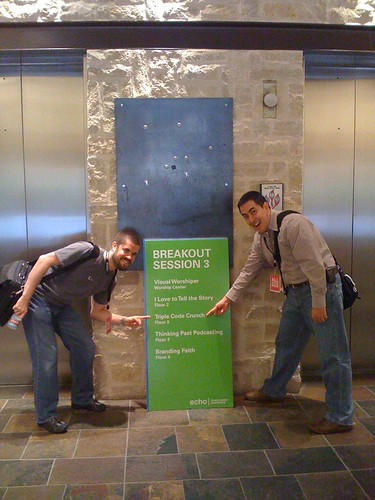
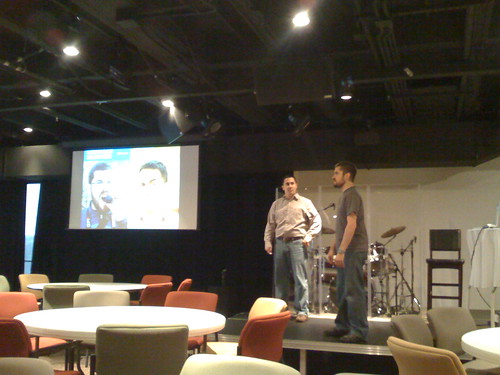
As some of ya'll know, Christian got the chance to be a co-presenter today with his friend Nathan Smith (of GodBit and Viewzi) at Echo Conference, a conference for church media folks. Because it was here in Dallas, Olga and I (the wives) got to attend! The guys did great! They must have, because I could understand about 80% of what they said!
Here are some pics I took with the iPhone. Sorry for the poor quality.
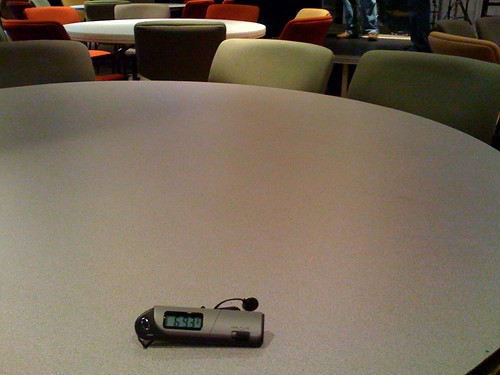
This conference was also hosted at Watermark and I want to note that I am always freezing to death in both the meeting areas in the tower and in the main auditorium. Yesterday I bought a portable digital thermometer and you will be hearing more from me and this thermometer regarding how overly-air conditioned places here in Dallas are. But this is my first real proof that I am not crazy. This is a shot of how cold it was in the meeting area where they presented: